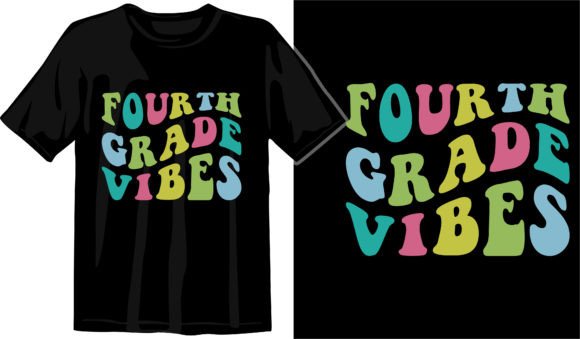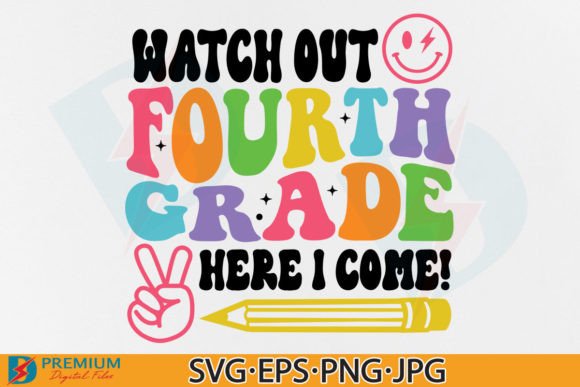
Fourth Grade SVG & 4th Back to School PNG: Creative Fuel for Teachers, Crafters, and Small Business Owners
If you're planning classroom decorations, prepping a back-to-school craft fair booth, or designing custom merch for your child’s grade-level celebration—you’ve likely scrolled past dozens of “4th grade” graphics. But not all Fourth Grade SVG and 4th Back to School PNG files deliver the same flexibility or quality. This particular set stands out because it’s built for real-life use—not just pretty thumbnails in a shop listing.
What You’re Actually Getting (Beyond the Buzzwords)
This isn’t just another clipart bundle tossed into a ZIP file. You receive seven thoughtfully prepared assets—each serving a distinct purpose across different tools and projects:
- Two high-res PNGs (300dpi, transparent background) — ideal for printing on vinyl, sublimation transfers, or layering over photos in Canva or Photoshop without white boxes ruining the look.
- One Cricut/Silhouette-optimized PNG — specially flattened and sized for seamless cutting on machines that struggle with multi-layer transparency or complex alpha channels.
- One JPG (300dpi, white background) — perfect when you need crisp, print-ready artwork for flyers, newsletters, or school bulletin board posters where transparency isn’t needed—or even desired.
- One EPS vector file — scalable to billboard size without pixelation, great for professional printers or designers who work in Adobe Illustrator or CorelDRAW.
- Two SVG versions: grouped and ungrouped — both fully compatible with Cricut Design Space. The grouped version saves time if you want to resize or recolor the entire design at once; the ungrouped version gives you granular control over individual elements (like changing the color of the “4” separately from the pencil icon).
That level of versatility means you’re not locked into one workflow—or one outcome. Whether you’re adjusting colors for a class T-shirt order or scaling the same graphic down for a sticker sheet, the files adapt instead of fighting you.
Where These Files Shine in Real Life
Teachers building classroom community: Imagine printing the 4th Back to School PNG onto laminated name tags, then using the SVG ungroup file to create matching desk plates where each student’s name sits inside a custom-colored “4.” No design degree required—just drag, drop, and personalize in minutes.
PTA volunteers organizing orientation night: Use the EPS file to scale the design large enough for a banner hanging in the gym, then repurpose the same artwork (in PNG form) for handouts, email headers, and digital slides—all maintaining consistent branding without re-creating anything.
Small business owners selling teacher-themed gifts: A mug company can use the transparent PNG to mock up designs on ceramic surfaces in product preview tools. Meanwhile, their production team uses the SVG group file to cut heat-transfer vinyl for actual mugs—ensuring clean edges and precise alignment every time.
Parents crafting personalized keepsakes: That “Ungroup” SVG is especially handy when you want to swap out elements—say, replacing the default pencil icon with a tiny soccer ball or ballet slipper to reflect your child’s interests. It turns a generic “4th grade” graphic into something quietly meaningful.
Who Benefits Most—and How
Classroom teachers appreciate how quickly these files integrate into existing routines—no more spending evenings tracing fonts or wrestling with mismatched resolution issues. You open the file, adjust text or color in your preferred tool, and hit print or cut.
Craft entrepreneurs value the dual SVG formats: grouping saves time on bulk orders (e.g., 50 identical stickers), while ungrouping lets them offer customization upgrades—like “add your child’s name for $2 more”—without redesigning from scratch.
Digital designers supporting schools lean on the EPS and high-DPI PNGs when delivering final assets to district communications teams. They know those files will hold up whether viewed on a smartphone or projected on a 120-inch screen.
Things to Keep in Mind Before You Download
These files are powerful—but only if your setup supports them. Before purchasing, double-check compatibility:
- Cricut users: Confirm you’re using Design Space (not the older Cricut Craft Room). Both SVG versions work there—but not all third-party apps handle ungrouped layers the same way.
- Silhouette users: The dedicated PNG is optimized for Silhouette Studio’s trace function, but newer versions also support SVG import. Still, test one file first if you’re unsure.
- Print-on-demand sellers: While the PNGs and JPG are print-ready, some platforms auto-convert uploads to RGB or apply compression. Always preview your mockup before approving production.
- Teachers using Google Slides or PowerPoint: PNGs with transparent backgrounds paste cleanly—but avoid resizing beyond 200% in those apps, as they may degrade sharpness. For larger displays, start with the EPS or SVG instead.
Also worth noting: this is a digital-only purchase. There’s no physical disc, no mailed USB drive—just instant access after checkout. That speed matters when you’re finalizing bulletin board materials the night before Open House.
Why Quality Matters More Than Quantity Here
You’ll find hundreds of “back to school” graphics online. What makes this Fourth Grade SVG and 4th Back to School PNG collection different is attention to technical detail—not just visual appeal. The 300dpi resolution ensures clarity on fabric and ceramic. The transparent backgrounds eliminate tedious erasing or masking. The vector and SVG options preserve editability without sacrificing fidelity. And having both grouped and ungrouped SVGs means you’re never choosing between convenience and control.
It’s the kind of resource that fades into the background of your workflow—until you realize how much smoother everything runs because it’s there.