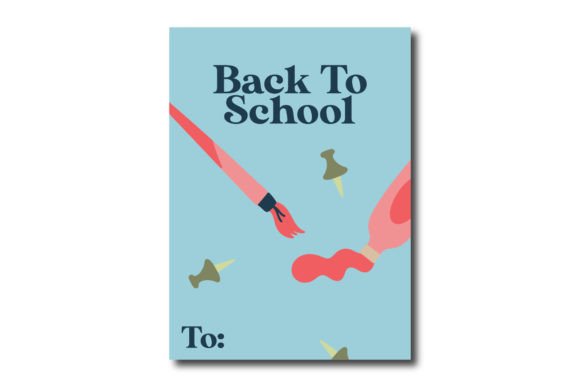
Blue Card Back to School Painting Tools
If you're designing classroom materials, launching an education-themed marketing campaign, or creating print-and-go resources for students and teachers, having versatile, production-ready assets makes all the difference. The Blue Card Back to School Painting Tools collection is built precisely for that — not as generic clipart, but as a thoughtfully structured, multi-format design resource tailored for real-world creative workflows.
What You Actually Get — And Why Format Variety Matters
This isn’t just another PNG download. You receive six distinct file formats, all based on the same 1920px × 1280px canvas: one AI (Adobe Illustrator), one EPS, one SVG, one DXF, one JPG, and one PNG. That combination serves concrete needs across different tools and use cases — not theoretical ones.
The AI and EPS files preserve full vector scalability and layer integrity, making them ideal if you’re refining colors, adjusting strokes, or integrating elements into larger branding systems in Illustrator or CorelDRAW. The SVG works seamlessly in web-based editors, LMS platforms like Canvas or Moodle, or even interactive lesson builders — especially when you need crisp rendering at any screen size. Meanwhile, the DXF opens cleanly in laser cutters, vinyl plotters, and CNC software, so educators running maker-space labs or craft-based learning units can turn the design into physical classroom decor or student activity kits.
The JPG and PNG serve immediate, low-barrier uses: embedding into Google Slides presentations, adding to Canva templates, uploading to school newsletters, or sharing via email with parents or colleagues. The PNG includes transparency, letting you drop the painting tools onto colored backgrounds or custom layouts without white boxes — a small detail that saves minutes every time you edit.
Who Benefits Most — And How
Educators and curriculum designers often juggle tight deadlines and limited design support. With this set, they can build cohesive back-to-school bulletin boards, editable handouts, or themed classroom signage — all while keeping visual consistency across printed posters, digital announcements, and student-facing materials. No need to hunt for matching icons or retrace outlines from low-res images.
Freelance designers and small creative studios serving schools, tutoring centers, or edtech startups find value in the format flexibility. A client might request a version for their website (SVG), a printed banner (AI/EPS), and social media graphics (PNG/JPG) — all from the same source. That reduces revision cycles and eliminates last-minute “Can you send me a vector?” follow-ups.
Bloggers and content creators covering education topics — from classroom management tips to summer learning ideas — use these visuals to break up text, illustrate concepts, and improve reader engagement. Because the files are sized to fit standard blog layouts (1920×1280 is optimized for featured images and wide-content containers), they integrate smoothly without cropping or distortion.
Even small business owners selling printable planners, teacher supply bundles, or homeschool kits benefit. The Blue Card Back to School Painting Tools design can be adapted into branded worksheets, packaging accents, or product mockups — all without licensing concerns, since it’s a ready-to-use commercial asset.
Time Saved Isn’t Just About Clicks — It’s About Consistency and Control
Consider a typical scenario: You’re preparing welcome packets for new art teachers. You need a clean, friendly icon representing painting supplies — something that matches your district’s blue color palette and fits both a PDF handout and a laminated poster. Without a multi-format resource like this, you’d likely start with a PNG, resize it (risking pixelation), try to remove the background (with mixed results), then struggle to adapt it for large-format printing.
With the Blue Card Back to School Painting Tools, you open the AI file, change the fill color in two clicks, export a high-res PDF for the poster, and save a web-optimized SVG for the digital version — all in under five minutes. That kind of efficiency compounds across projects. Over a semester, it may mean hours reclaimed for lesson planning instead of troubleshooting image quality.
A Note on Fit and Realistic Expectations
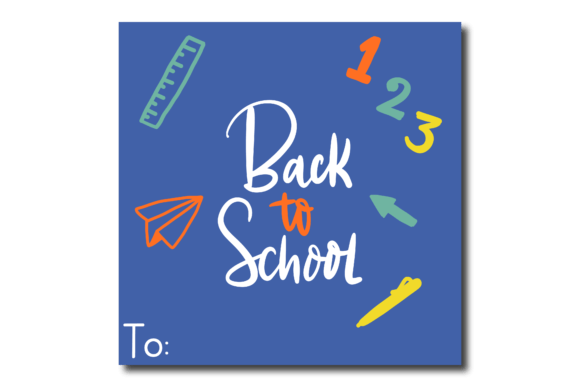
This design works best when you need a clear, friendly, slightly stylized representation of painting tools — brushes, palettes, and splashes — rendered in a cohesive blue-toned card layout. It’s not photorealistic, nor is it minimalist line art. Its strength lies in its balanced tone: professional enough for school communications, warm enough for early-grade classrooms.
If your project demands ultra-detailed textures, animated versions, or alternate color schemes beyond simple fills, you’ll want to plan for minor edits — though the layered AI file makes those adjustments straightforward. Likewise, while the 1920×1280 canvas suits most digital and mid-size print uses, extremely large banners (e.g., 4'×8') may require additional raster upscaling — but the vector files eliminate that concern entirely.
How to Use It Without Overcomplicating Things
You don’t need advanced software to get started. Open the PNG in PowerPoint or Google Slides to add labels or speech bubbles for a classroom discussion prompt. Drag the SVG into Figma or Webflow to build responsive education landing pages. Import the DXF into Cricut Design Space to cut stencils for student art projects. Even the JPG works well in basic photo editors for quick social media posts.
For educators short on tech time: pick the PNG or JPG first. They load instantly, require no special software, and look sharp on projectors and tablets. As confidence grows, explore the vector options — many free or low-cost tools (like Inkscape or Vectr) handle SVG and EPS just fine.
Final Thought: It’s Not Just a Graphic — It’s a Workflow Anchor
In creative work, the smallest friction points add up: mismatched fonts, inconsistent sizing, broken transparency, or format incompatibility between team members. The Blue Card Back to School Painting Tools helps smooth those edges — not by doing the thinking for you, but by giving you reliable, editable building blocks that behave predictably across platforms.
That reliability supports better outcomes: clearer communication with families, more polished classroom environments, faster turnaround on client deliverables, and less mental load spent on technical fixes. When your tools work quietly in the background, your focus stays where it belongs — on teaching, designing, writing, or building something meaningful.